

Users have asked us for a visual way to add links and basic formatting in long text fields for years. Visitors have asked for search results that put the closest match first. Both land here, together with a collection option to require the item document and a round of API and importer fixes that several of you reported. Site administrators also get a Management Tools screen for heavy maintenance that used to require WP-CLI—starting with the legacy activity-logs migration, which this release makes necessary if you still want the old history in the admin.
If you have been curious about these changes, come join us!
What’s new
A visual way to add links and basic formatting
Textarea metadata, Core Description, and the various description boxes around Tainacan have long allowed a little HTML—bold, italics, and links that were guessed from a bare URL. What they did not allow was writing that HTML without knowing HTML: a labelled link, a bullet list, a second paragraph that stays a paragraph. That request is older than most of the 1.x series.
The plugin Settings screen has a new Input fields section. Turn on Allow formatted text in text inputs and those description fields load a compact toolbar: bold, italic, lists, links, undo/redo, and a source-code dialog.
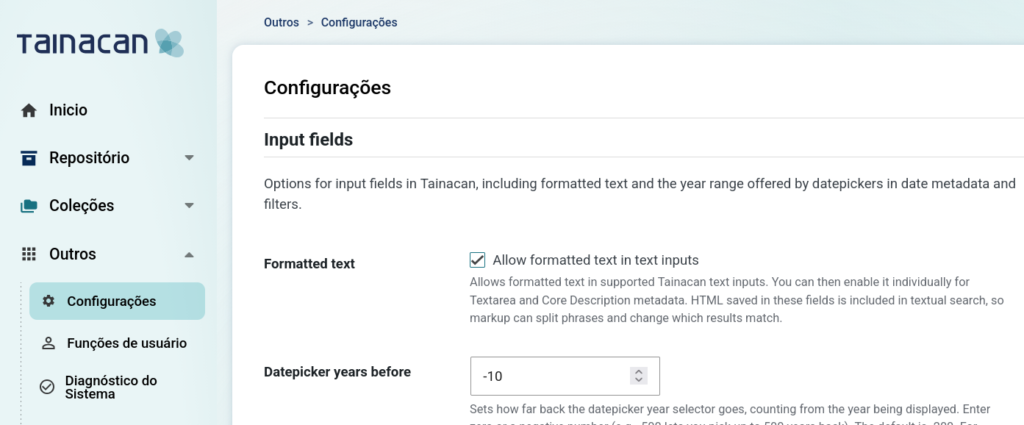
Collection, taxonomy, term, metadata, metadata-section, and filter descriptions pick up the editor from that setting. Item text documents do too. Textarea and Core Description stay as they are until you also enable Use formatted text editor on that metadatum—so existing fields do not suddenly change shape. The public Item Submission block keeps a plain textarea; the editor is for the admin forms (including bulk edit).
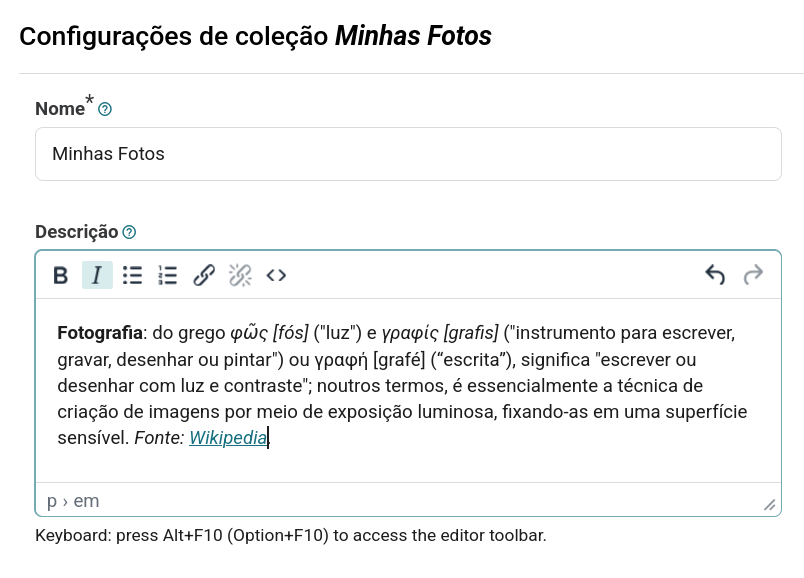
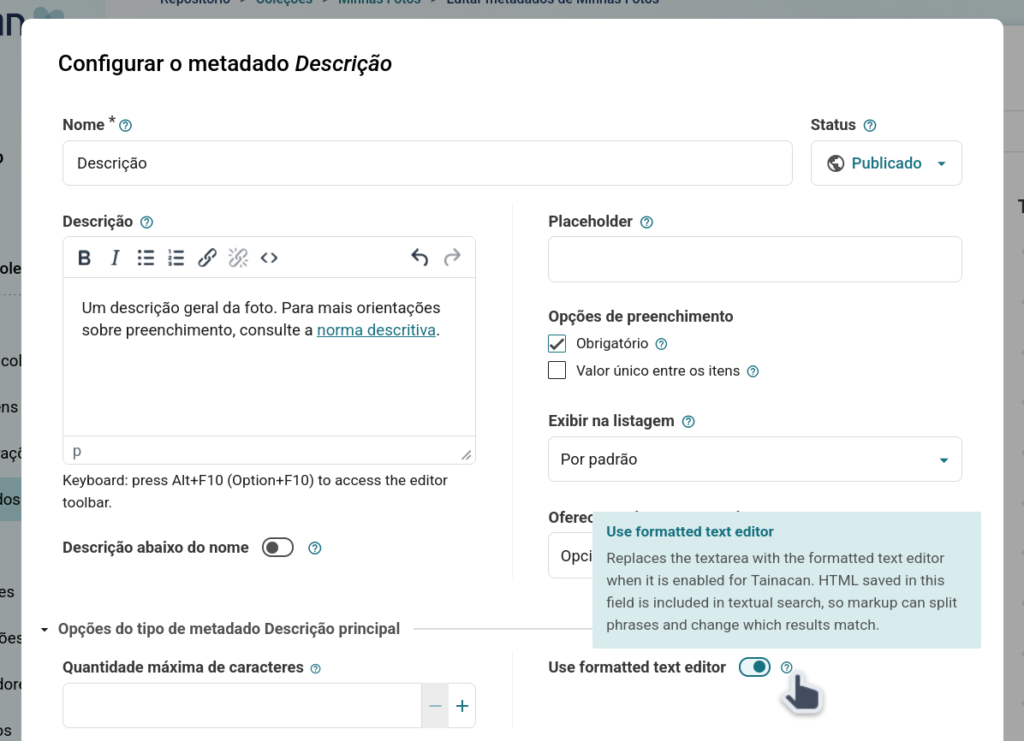
This is not a full page editor: no headings, images, or tables. HTML saved in these fields is included in textual search, so a link in the middle of a sentence can split a phrase match. Use formatted text where links and lists are the point of the field, and leave it off where you still want a clean string for search and character limits.
Require a document before publishing
Metadata can already be marked required. The document—the file, URL, or text that often is the item—could not. Collections that live on a scan, a recording, or a page had to rely on training, or on the Item Submission block with no way to block an empty upload.
Each collection now has a Require document option. When it is on, an item can still be saved as a draft without a document; publishing (and submitting through the Item Submission block) needs an actual file, URL, or text, not only a chosen type. If everfiy document type is disabled on that collection, the option is ignored.
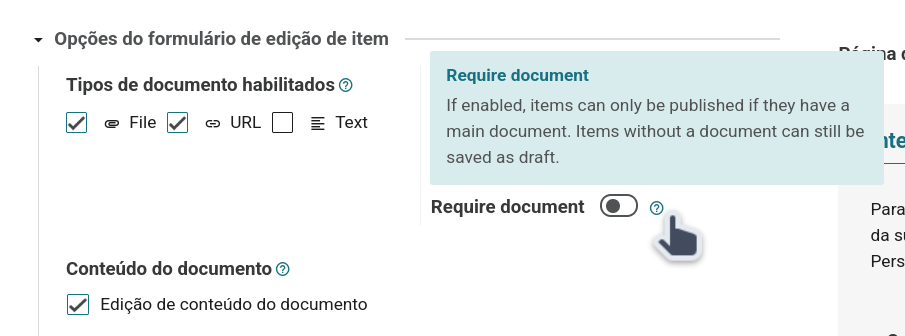
The item form and the submission block both show the required state and the API’s validation errors in place.
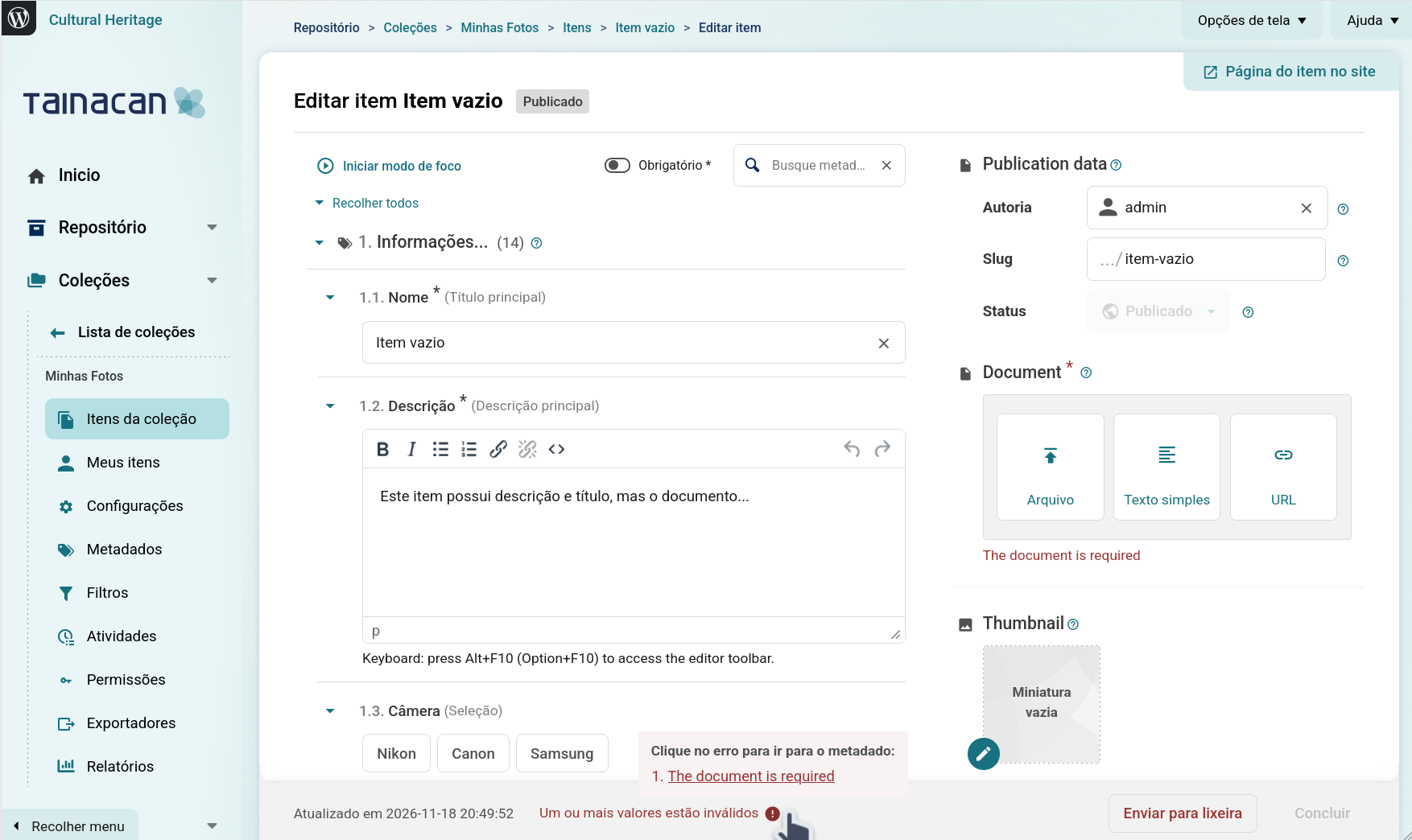
Search results ordered by Relevance
A textual search used to keep whatever sort was already in use—usually creation date. With “search each word separately” and “search all metadata” on, a loose hit in a note and a close hit in the title sat on the same page, in date order. The closest items were not necessarily the first ones.
While the search box has a value and you have not picked another sort, the list now uses WordPress’s Relevance ranking and shows that option in the sort control (admin items list and Faceted Search block). Best match first:
- the whole phrase in the title;
- every word in the title;
- any word in the title;
- the phrase in the description;
- everything else—including a match that exists only in other metadata—by creation date.
The automatic switch is not saved as your sort preference. Clearing the search restores the previous order. Choosing Creation date, Title, Modification date, or a custom metadatum replaces Relevance the usual way.
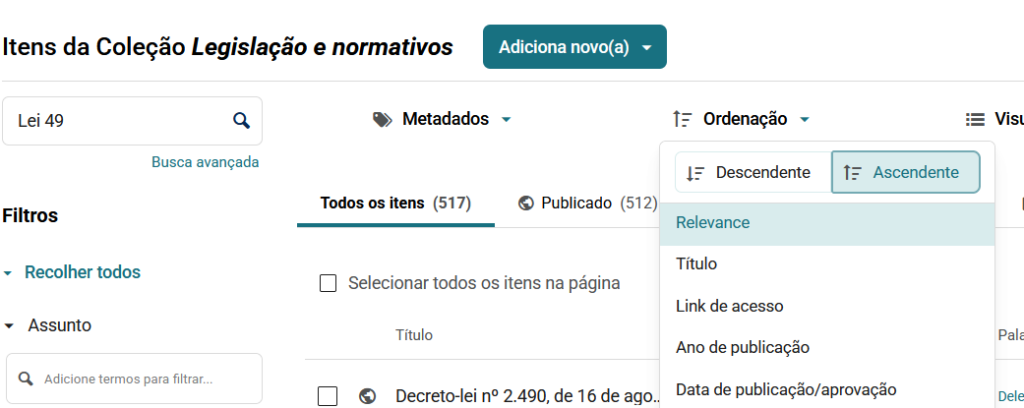
The setting lives under Search and performance as Order textual search results by relevance (on by default). Sites that use ElasticPress still send orderby=relevance; there the ranking is ElasticPress’s own score, which already includes metadata.
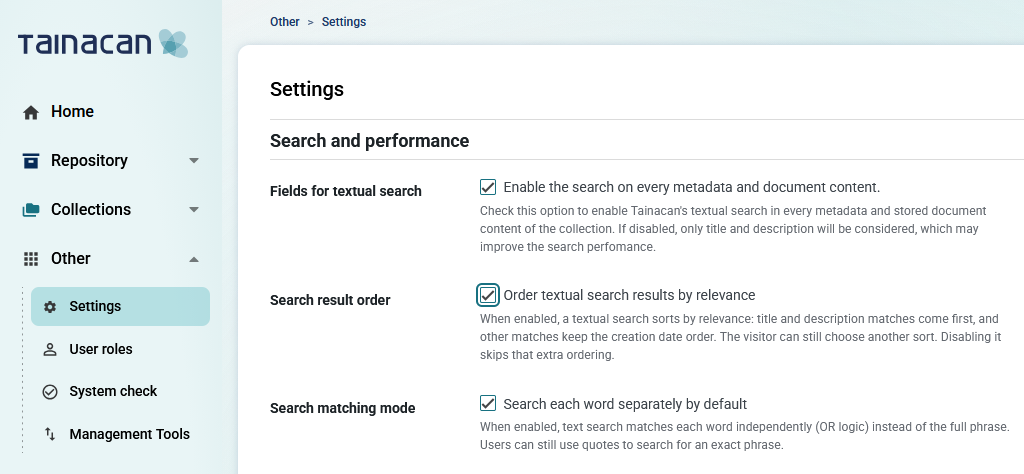
Management Tools, and the legacy logs migration
Activity logs used to live as posts in the wp_posts table, which was bad for performance. A dedicated tainacan_logs table has been available since version 1.1.0, but the plugin still fell back to the old posts unless you defined TAINACAN_USE_DEPRECATED_LOGS as false and ran a WP-CLI migration. Most sites never did that. In 1.5.0 the fallback is gone: logs are always stored and read from the new table. New activities will be fine. The old timeline stays in wp_posts until you migrate it, and the admin will look empty of history until then.
The good news is that you no longer need shell access for that job. Under Other → Management Tools there will be the new maintenance commands. The first made available is Legacy logs migration. Run starts a background process: you can leave the page, follow it on Processes, and reload Management Tools to see the last run again. Already migrated records are skipped, so it is safe to run more than once.
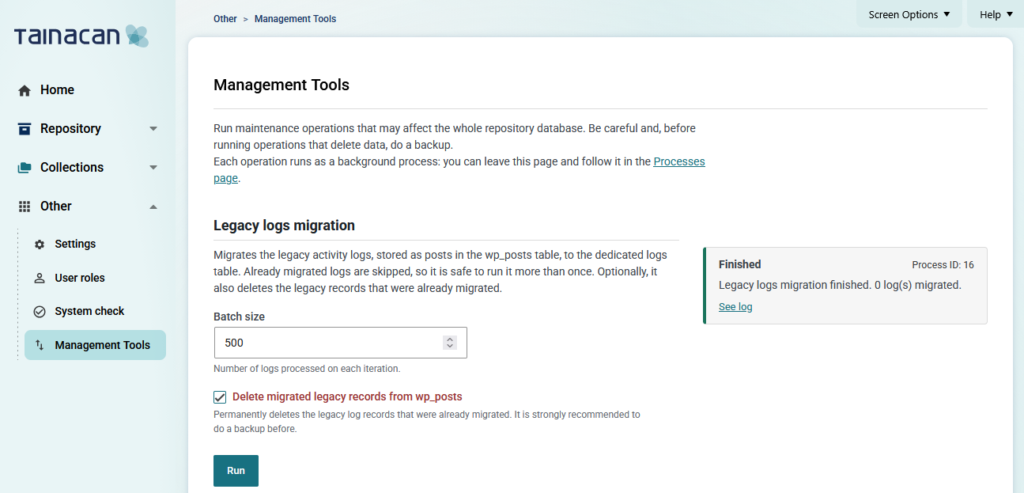
Batch size is how many logs each iteration takes (default 500, max 1000). Check Delete migrated legacy records from wp_posts only after you are happy with the copy: it permanently deletes the old rows, asks for confirmation, and is highlighted as destructive. Take a database backup first. The CLI is still there if you prefer it: wp tainacan logs migrate and wp tainacan logs purge_deprecated.
If your Activity log looks empty after updating to 1.5.0, you probably still have the old posts. Run Legacy logs migration once, without purge. Confirm the history is back, then purge—or leave the old rows alone.
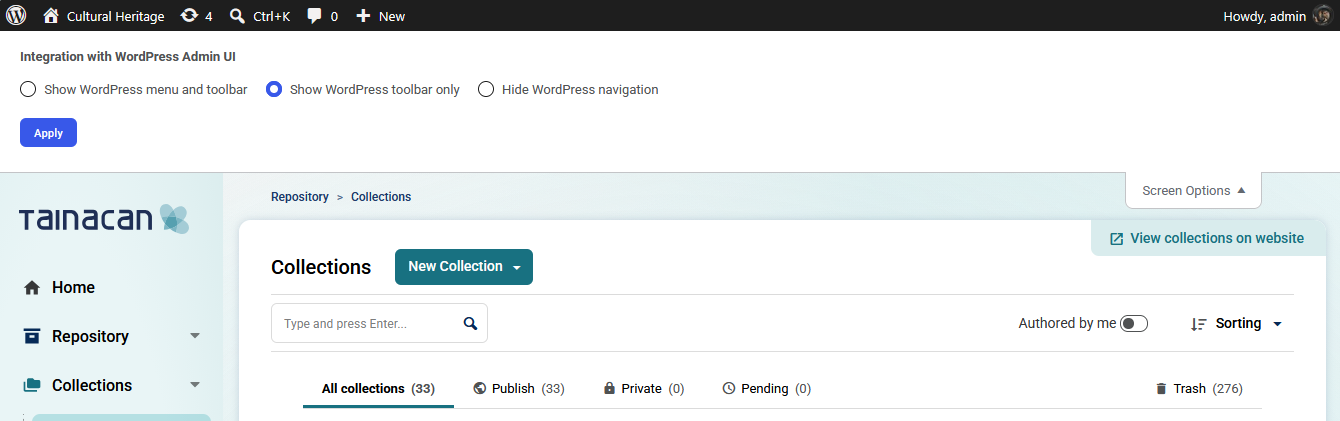
Tainacan’s Screen Options used to offer two WordPress layouts: the full admin chrome, or none of it. WordPress 7.1 keeps the toolbar in fullscreen editors as the way back to the rest of the admin. Tainacan had no matching middle state.
Under Integration with WordPress Admin UI there are now three radios:
- Show WordPress menu and toolbar — today’s usual layout;
- Show WordPress toolbar only — left menu gone, admin bar kept;
- Hide WordPress navigation — the previous fullscreen mode.
Improvements
Random order in item list blocks
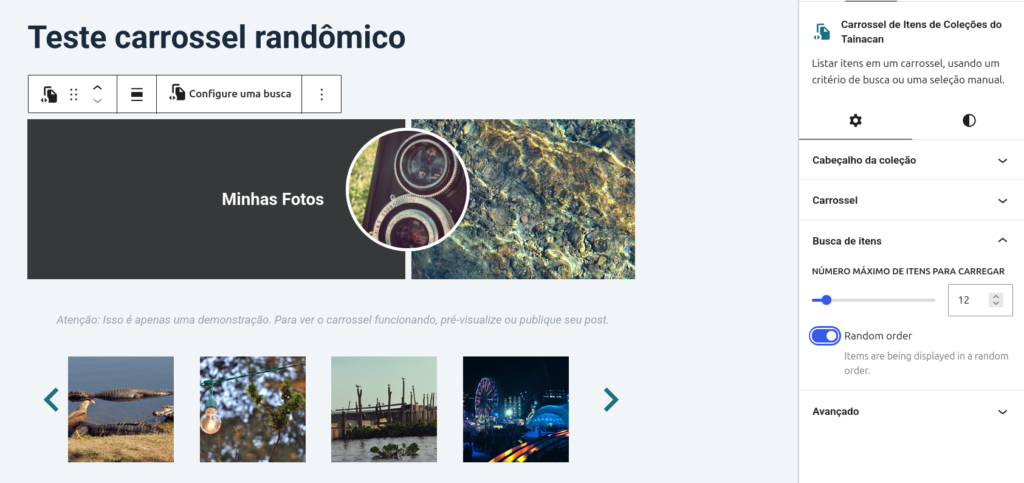
The Dynamic Items List and Carousel Items List blocks can now shuffle their results. In the block sidebar, turn on Random order when you want a related-items row or a looser showcase rather than a stable sort. The previous order is kept, so you can toggle the option off without rebuilding the query.
Modification date as a default sort
Modification date was already an option in the sort menu. It can now be the default, in the same places as Title and Creation date: the collection’s items-list defaults, the plugin settings for repository and taxonomy-term lists, and the Faceted Search block.
Conditional sections follow the taxonomy tree
A Conditional Metadata Section that watches a hierarchical taxonomy used to look only at the term you stored. If the rule said “Mammals” and the item was filed as “Cats”, the section stayed closed. The check now walks ancestors, so a child term satisfies a parent rule. Terms and facets also expose that ancestor list to the API.
Errors that say what actually failed
Failed admin requests still raise a snackbar, but many of them now pass through the API’s own message instead of a generic status line. Item save shows validation errors (required document, required metadata, the batch terms limit) on the form. Network warnings that duplicated that feedback were dropped.
Other enhancements
- Stored XSS through taxonomy term names and facet labels: names are no longer HTML-decoded on read, so markup saved by a lower-privileged user cannot run in an administrator’s session;
- Private / draft videos (and other protected files) honor HTTP byte ranges, so seeking and startup no longer wait for the whole file;
- REST errors that used to surface as HTTP 500 (“Entities must be validated”, missing report targets, invalid term
item_id) now return 400 or 404 with a proper payload; - PHP 8.2 / 8.4 deprecations in entities, repositories, and controllers (explicit nullable types, no more dynamic properties);
- Translated strings with numbered placeholders (
%2$s) keep the right variable when a language reorders them; taxonomy checkbox/radio inputs no longer leak event listeners when a modal closes; - Developer documentation regenerated, with architecture and OpenAPI notes expanded;
- And the usual round of internal code tweaks!
Bug fixes
- Background-process heartbeats are stored in UTC, so the stale-process watchdog no longer re-queues a live import or export on sites behind UTC (Brazil included) and duplicate workers no longer write the same batch twice;
- CSV importer automatic encoding no longer stores empty strings for Latin-1 / Windows-1252 cells (accented Portuguese,
€, curly quotes). Non-UTF-8 values are converted from Windows-1252, which is what spreadsheet exports actually write; - Logged-out requests for items of a private collection return 401 instead of a fatal error / HTTP 500;
- REST
order=descno longer becomes amenu_order = 0filter, which hid metadata and filters whose menu order was not zero; - Facets respect Search each word separately:
current_query[sentence]=falseis treated as a boolean, so autocomplete / taginput options match the item list instead of the whole phrase; - Screen meta hidden in admin iframe mode; filter-area CSS stacking cleared when the filters are not in a modal.
For developers
Formatted text:
TAINACAN_ALLOW_RICH_TEXT_EDITOR(boolean) overrides Settings → Input fields → Formatted text and disables the checkbox. Onlytrueenables the editor. The constant name is historical;- Textarea and Core Description gain
use_rich_text_editor(yes/no, defaultno), labelled Use formatted text editor in the admin. Storedvalueis unchanged;value_as_htmlstill runswpautop()andmake_clickable(); Metadata_Type::allows_links()is the backend check for keeping anchors. Textarea and Core Description returntrue. Titles, names, and Plain Text still strip<a>tags (visible text stays). This does not restore links removed by earlier saves.
Search and lists:
- REST
orderby=relevanceis a real sort. The default remainsdate.TAINACAN_DISABLE_SEARCH_RELEVANCEforces the setting off. Facet ID queries skip the ranking; - Collection / plugin / Faceted Search defaults accept
modifiedasorderby; - Dynamic Items List and Carousel Items List: block attribute
randomOrder(data attributedata-random-order). Legacy carousel sort parameters are preserved.
Management Tools:
TAINACAN_USE_DEPRECATED_LOGSis removed. Logs always use thetainacan_logstable. Sites that never migrated must run Legacy logs migration (orwp tainacan logs migrate) to see the old history;GET /tainacan/v2/management-toolslists commands and params;POST /tainacan/v2/management-tools/{command}queues a background process and returnsbg_process_id. Both requiremanage_options. Progress is the existingbg-processesroute;- New commands: add a definition to
Management_Tools_Process::get_commands()(name, description, params, steps) and the matching step methods.Management_Tools_Process::queue( $id, $args )is the PHP entry. The admin screen and REST list are built from that definition; - Admin UI option
hideNavigationManagementToolsButtonhides the menu item.
API and files:
- Terms and facets now include
ancestors. Conditional metadata sections use that path for hierarchical taxonomies; - Private file delivery answers satisfiable
Rangerequests with206 Partial Content. Access checks are unchanged; - Collection
item_require_document(yes/no). Publish validation requires a document value, not only a type; - Reports metadata route argument is
metadatum_id(it was the only reports route still namedmetadata_id). The URL path is the same; only the registered arg name changed; - REST
orderis sort direction, never mapped tomenu_order; - Background-process
processed_lastis UTC (current_time( 'mysql', true )).
New contributors
In the latest versions, we’ve received contributions from many new external collaborators. These are the new heroes:
Get it now!
Version 1.5.0 of Tainacan is now available for download from the WordPress plugin repository: